Nook Night
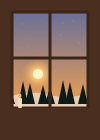
A dark cabin window to fall asleep to. Before you wake, a slow sunrise fills the screen.
⚠️ Your browser cannot keep the screen awake by itself. Turn off auto-lock in your settings for tonight.
Before you sleep
- Plug the phone or tablet in to charge. Browsers may let the screen sleep on low battery.
- Keep this page open and in front. Switching apps lets the screen turn off.
- Set the screen brightness to medium. A web page can change colours but not your brightness.
- Keep your usual alarm on as a backup.
Full cabin nights on YouTube
8-hour fireplace, blizzard and rain-on-window cabins, made with our own photos and sounds.
▶ Watch on YouTubeMore cozy tools
SoundsLayer the sounds you like. Set a timer and the mix fades out gently.SleepWake up between sleep cycles, not in the middle of one.TimerSet it, start it, and hear soft bells when time is up.ClockThe time now, a world clock and the sun and moon at a glance.Lapland GamesWord games and puzzles at Lapland Games
How does the screen stay on?
The page asks your browser for a screen wake lock, the same thing video players use. It is released when you leave the page.
Will it ruin an OLED screen?
At night the screen is almost black and the small clock moves slowly, so nothing stays in one place.
Is this a medical sleep aid?
No. It is a calm way to fall asleep and wake up. If you have sleep problems, talk to a doctor.